
Turn your spreadsheets into meaningful answers.
Ask questions in plain English and get clear answers as tables, charts, and insights.
workflow
How Dataxel works
Connect your data, ask questions in plain English, and see answers instantly. Everything runs locally in your browser.
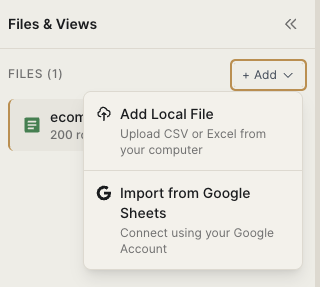
Connect
Connect your data
Open Google Sheets in read only mode or use local CSV and Excel files.
- • Read only access
- • No uploads
- • Runs locally in your browser
Query
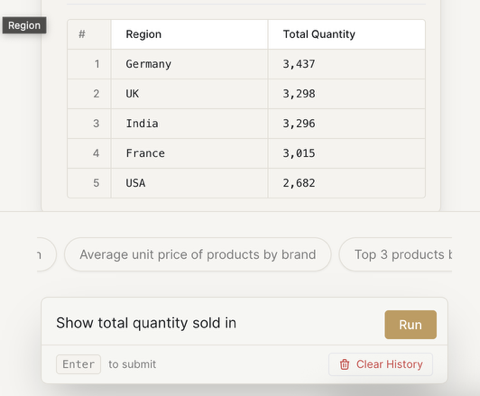
Ask questions
Ask questions in plain English to explore your data.
- • Example questions are shown
- • Queries run locally
- • Works offline
Results
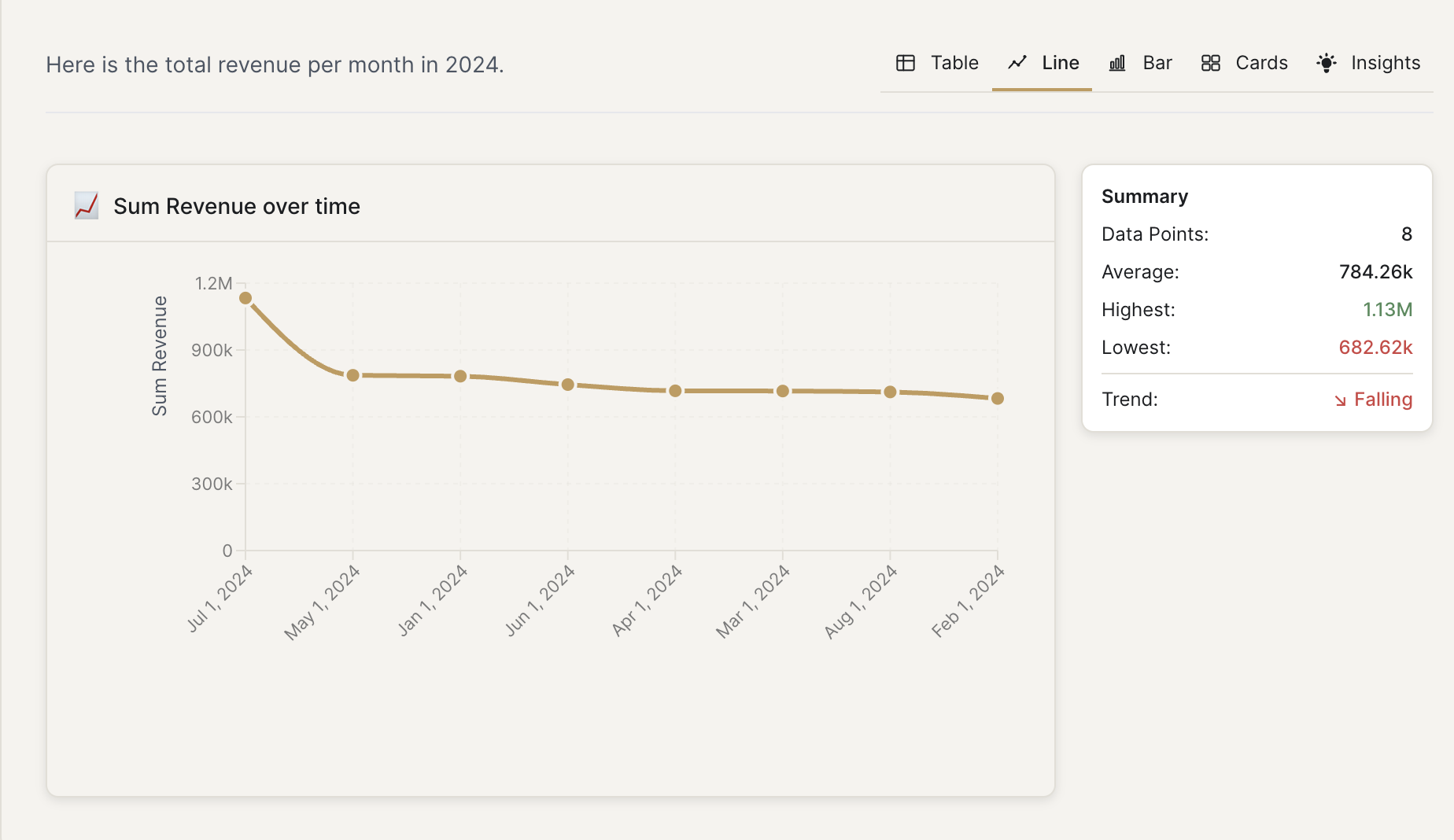
See answers instantly
Get answers shown as tables, charts, and summaries.
- • Tables and charts are selected automatically
- • SQL is generated and run locally
- • No waiting, stays private
smart view
Smart Views for multi-file analysis
Combine multiple Sheets, CSV, and Excel files into a single logical view. Dataxel automatically connects related data so you can ask questions across all your files as if they were one spreadsheet.
Query Examples
See how Dataxel handles real questions locally with read-only access.
query example
Your data never leaves your browser
When you connect your spreadsheets, all analysis runs locally in your browser. Files are never uploaded, and data is not stored on our servers. For Google Sheets, Dataxel uses read only access and processes everything on your device.
Runs in your browser
All analysis happens locally on your device
Never uploaded
Your spreadsheet data is not sent to our servers
Read only access
We can view Google Sheets but never edit or modify them
No data collection
We do not store or track your spreadsheet content
You can inspect the generated SQL for every query.
FAQ
Answers to common questions
Privacy and data
No. All analysis runs locally in your browser. Your data never leaves your device.
Files and usage
How it works
Still have questions? Try the demo to see how it works.
Ready to talk to your spreadsheets?
It's free to try. Your data never leaves your browser.